
Aura: Security & Protection
Aura Sub LLCFinance
4.56.18K Reviews
- Version
- 26.33.0
- Installs
- 1.00M
- Age Rating
- Everyone
Screenshots
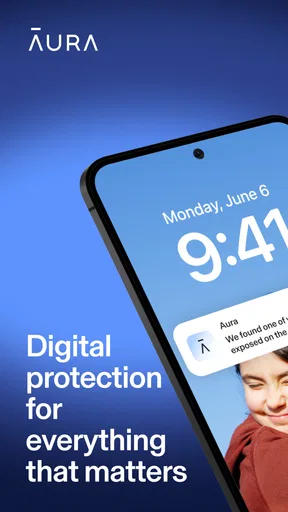
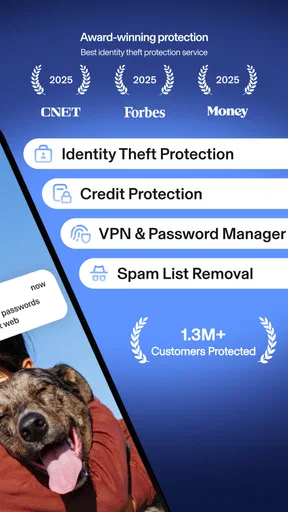

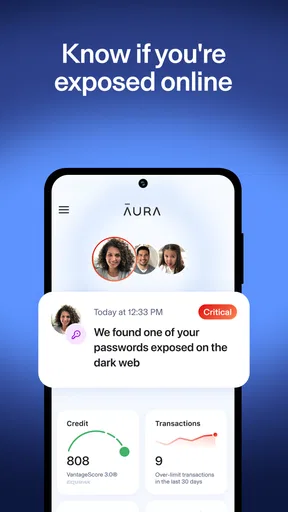
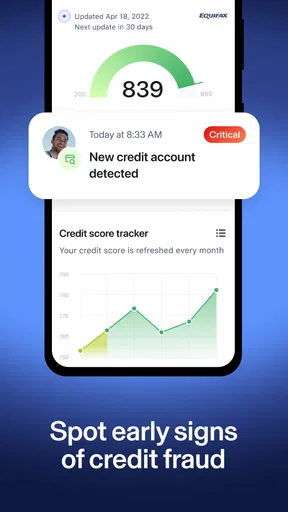
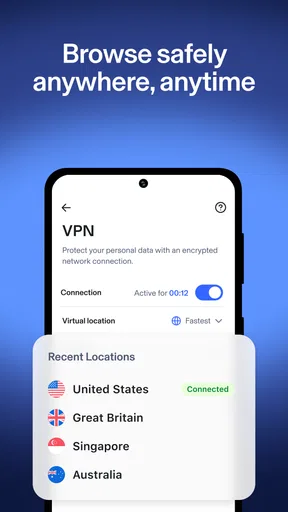
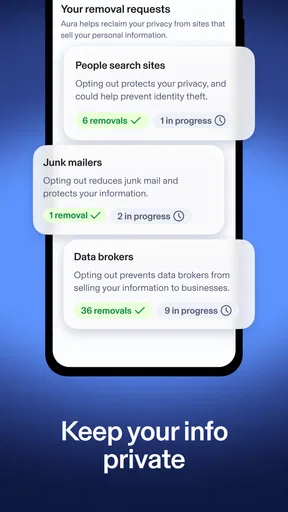

Our Review of Aura: Security & Protection
 Analysis by Appyee
When I look at a security app, I want to know not only what it promises to protect but also what I can actually see and control. That distinction matters with Aura: Security & Protection: it brings several kinds of protection into one finance-focused app, but a reassuring dashboard is not a substitute for understanding the account choices behind it. I’d approach it as a possible hub for managing security concerns, then check each feature and its terms before trusting it with sensitive information.
What an all-in-one approach means in practice
Aura is a free finance app from Aura Sub LLC, with optional in-app purchases ranging from about $12 to $396 per item. It has an average rating of 4.5 from around 30,000 ratings, and more than 500,000 installs. Those figures suggest that plenty of people have tried it, but they can’t tell me whether a particular protection service fits my needs or how it handles my information. The app is rated for Everyone, and its current version is 26.05.0.
The central trade-off is convenience versus separation. A single app can make it easier to keep several security-related tasks in view; separate services can make it clearer which provider handles each task. I’d choose Aura when having a consolidated place is more useful to me than assembling a collection of tools. If I already have a preferred VPN, credit-monitoring service, and identity-protection provider, I’d compare their coverage and account terms before adding another layer.
Before sharing personal or financial details
Identity and credit features deal with information that deserves more care than an ordinary app preference. Before entering details, I’d read the in-app explanations of what each feature needs, why it asks for that information, and what choices are available afterward. I’d also check any subscription screen carefully: “free” describes the app’s price to download, while the listed in-app purchases show that some options may cost extra.
A useful first-session habit is to explore the account and notification settings before turning on every available service. I’d note which alerts are enabled, what each one is intended to flag, and where I can change those choices. That makes it easier to tell a meaningful warning from routine activity and to avoid granting access simply because a setup screen encourages me to move quickly.
Make alerts useful, not noisy
Security alerts only help if I can understand and act on them. Rather than leaving every notification switched on by default, I’d start with the alerts tied to the protections I genuinely plan to use, then adjust after seeing how often they arrive. If a notice appears, I’d open Aura directly and review the context there instead of following an unexpected message or link. That’s a sensible habit with any account or financial alert, not a claim that every notification is suspicious.
I’d also treat a protection app as one part of a routine, not a replacement for basic account hygiene. Unique passwords, careful handling of verification requests, and reviewing important financial accounts directly still matter. A monitoring feature may help draw attention to something; it doesn’t make every risk disappear or guarantee that a user will never need to take action.
Getting Started with Aura
First things first, downloading the app was a breeze. Whether you’re on Android or iOS, Aura: Security & Protection is available on both platforms. Once installed, the setup was straightforward. I appreciated the intuitive interface, which didn’t make me feel like I needed a tech degree to understand what was going on.
Features That Stand Out
The app is packed with features, and here's a quick rundown of the ones that caught my eye:
- Identity Protection: This feature actively monitors your personal information across the web. It’s like having someone constantly checking if your data is being mishandled.
- VPN Service: The built-in VPN is a gem for those who frequently use public Wi-Fi. It adds an extra layer of protection, ensuring your data stays private.
- Credit Monitoring: Keeping tabs on your credit score has never been easier. Aura sends real-time alerts if there are any changes, helping you stay ahead of potential threats.
Ease of Use
Now, I’m not usually one for overly complex apps, and thankfully Aura seems to have nailed the balance between functionality and user-friendliness. The dashboard is clean, and everything is a tap away. I found the notifications system particularly helpful, as it ensures you’re always in the loop without being overwhelmed by alerts.
Why Aura is a Game Changer
In today’s digital age, we’re constantly bombarded with online threats. What really sets Aura apart is its holistic approach to security. It’s not just about protecting your device; it’s about protecting your entire digital life. I felt a genuine sense of relief knowing that both my personal and financial information was being watched over.
The app’s ability to blend multiple security services into one package is commendable. This means you don’t need to juggle between different apps for your security needs. It’s an all-in-one solution, and that’s a huge plus in my book.
Everyday use and the limits of convenience
Picture a practical use case: I connect to public Wi-Fi while travelling, then later notice a credit alert while checking my phone. Having the VPN and monitoring tools in the same app could make it easier to keep those tasks within one routine. I’d still treat the alert as a prompt to verify what changed, not as proof of fraud or proof that everything is safe. The useful step is to review the details, then check the relevant account through its usual trusted channel if action is needed.
That distinction is important because security tools can surface activity without making the decision for me. An unfamiliar notification might require a closer look, while a legitimate change may simply need acknowledgment. I’d avoid making rushed financial decisions from a push alert alone, and I’d keep access to the original bank or credit account for confirmation.
The app may suit someone who wants identity monitoring, credit monitoring, and VPN access gathered in one place and is comfortable reviewing a paid option if a desired service requires it. It is less compelling for someone who only wants a basic VPN, already gets credit alerts through another provider, or prefers not to centralize sensitive services under one account. In those cases, a dedicated tool can be simpler, and existing bank or credit-provider controls may already cover the specific task.
Questions I’d answer before relying on it
Is downloading it free? Yes, the app is free to download, but in-app purchases are available, so I’d inspect the offer and renewal details before committing to anything. Do I need every service? No; I’d enable or pay for only the protections I understand and expect to use. Does monitoring replace checking accounts myself? I wouldn’t treat it that way. Alerts can be useful prompts, but I’d continue reviewing important accounts directly.
What should I do if I change my mind after setup? I’d revisit the account and service controls inside the app, review any active purchase through the relevant platform’s subscription controls, and check the app’s own instructions for managing or removing account information. I’d do this before entering sensitive details, so I know where the exit routes are rather than trying to find them under pressure.
Who is likely to get the most from it
Aura is most appealing to people who want a broad security routine without switching among several apps, especially if they value having monitoring and a VPN close at hand. It may also help someone who is willing to respond to alerts thoughtfully rather than expecting the app to make every decision automatically. The strongest reason to try it is organizational convenience; that benefit is personal, and it doesn’t establish that one bundled service is better than a specialist alternative for every job.
I’d be more cautious if I were only looking for device antivirus, a one-off privacy tool, or a simple way to check a credit score. Those needs are narrower than Aura’s mix of services, and a dedicated option might be easier to evaluate. I’d also pause if I wasn’t comfortable sharing the information a chosen feature requires or couldn’t tell what an optional purchase includes. A security product should make its choices understandable before I hand over more access or personal data.
Final Thoughts
So, is Aura: Security & Protection worth it? Absolutely. It’s more than just an app; it’s a peace of mind provider. Whether you’re a tech-savvy individual or someone who struggles with basic smartphone functions, Aura is designed to cater to all.
In a world where digital threats are evolving daily, it’s comforting to know that you have a robust tool like Aura at your disposal. I’d definitely recommend giving it a try if you’re serious about securing your digital life. After all, isn’t it better to be safe than sorry?
My recommendation comes with one practical condition: use the setup process to decide what you actually want, rather than treating an all-in-one label as a reason to activate everything. Read purchase terms, choose notifications deliberately, and keep using the direct account checks you already trust. With that measured approach, Aura can be a convenient place to bring several protections together; without it, the breadth of the package can make it harder to judge what you’re paying for and what you’re relying on.
Verdict
Strengths of Aura: Security & Protection
- User-friendly interface for easy navigation.
- Real-time threat detection and alerts.
- Includes VPN for secure browsing.
- Identity theft protection features included.
- Cross-platform compatibility.
Limitations of Aura: Security & Protection
- Premium features require subscription.
- Occasional false positive alerts.
- Can drain battery quickly.
- Limited free version capabilities.
- Requires ongoing internet connection.
Other Releases by Aura Sub LLC
View All
Circle 1st generation
Lifestyle1.7

Circle Parental Controls App
Parenting2.2
Similar Picks in This Category
View All
Google Wallet
Google LLC4.3

Airtel: Recharge, Bank & Loans
Airtel4.0

PayPal - Pay, Send, Save
PayPal Mobile4.2

DANA Indonesia Digital Wallet
PT Espay Debit Indonesia Koe4.5

Binance: Buy Bitcoin & Crypto
Binance Inc.4.8

Cash App
Block, Inc.4.7
Frequently Asked Questions
What features does Aura: Security & Protection offer?
Aura: Security & Protection provides comprehensive features such as real-time threat detection, secure VPN access, identity theft protection, and password manager. It also includes credit monitoring and parental controls, ensuring both digital and financial security for users. The app is designed to protect your personal information across multiple devices seamlessly.
Is Aura: Security & Protection easy to use for beginners?
Yes, Aura is designed with a user-friendly interface that makes it accessible for beginners. The app guides users through setup with intuitive instructions and offers customer support for any issues. Its dashboard is straightforward, allowing users to easily manage their security settings and monitor alerts.
How does Aura ensure data privacy?
Aura prioritizes user privacy by employing advanced encryption standards to safeguard personal data. The app's VPN feature ensures anonymous browsing, while credit and identity monitoring alert users to any unauthorized activity. Additionally, Aura adheres to strict privacy policies, ensuring user data is not shared without consent.
Does Aura: Security & Protection offer customer support?
Yes, Aura provides 24/7 customer support to assist users with any questions or issues. Support is available through multiple channels, including phone, email, and live chat. This ensures that users can quickly resolve any problems or get guidance on maximizing the app’s features.
What devices and platforms are compatible with Aura?
Aura is compatible with a variety of devices and platforms, including Android and iOS smartphones and tablets. It also supports Windows and macOS computers, allowing users to protect all their devices under a single account. This cross-platform compatibility ensures seamless security coverage across your digital ecosystem.
